At a glance
- TSA accepts mobile driver's licenses and state IDs from 22 states and Puerto Rico, at more than 250 airports.
- Seventeen of those work in Apple Wallet. Eleven have a state-built app on TSA's list, and in five states that app is the only option.
- The digital ID must come from a REAL ID-compliant or Enhanced license. TSA still asks every traveler to carry an acceptable physical ID.
- Travelers without a digital license can add a passport-based ID to Apple, Google or Samsung Wallet for domestic flights.
- Checkpoint readers compare a live photo with the photo in the credential. You can decline the photo and show a physical ID instead.
TSA does accept digital IDs, from 21 states and Puerto Rico as of October 2026, but only at checkpoints with the right reader and only from the wallets each state has approved. Arizona started it: in March 2022, Phoenix Sky Harbor became the first airport where TSA accepted a driver's license from Apple Wallet.
With Thanksgiving travel just weeks away, you probably want to know two things: whether your state qualifies, and whether you can leave the plastic card at home. The first answer depends on the state; the second is "no". The answers below come from the TSA participating-states list, as reported by Didit.
Which digital IDs TSA accepts, by state
Find the state, then check that a credential sits in one of the listed wallets or apps. A license in a wallet that TSA hasn't approved for a traveler's state won't scan, even if the same wallet works for people from another state.
| State or territory | Phone wallets TSA accepts | State app TSA accepts |
|---|---|---|
| Alaska | None | Alaska Mobile ID |
| Arizona | Apple, Google, Samsung | None listed |
| Arkansas | Apple, Google, Samsung | Arkansas Mobile ID |
| California | Apple, Google, Samsung (select checkpoints) | California DMV Wallet |
| Colorado | Apple, Google, Samsung | MyColorado mDL |
| Georgia | Apple, Google, Samsung | None listed |
| Hawaii | Apple | None listed |
| Illinois | Apple | None listed |
| Iowa | Apple, Google, Samsung | Iowa Mobile ID |
| Kentucky | None | KY Mobile ID |
| Louisiana | None | LA Wallet |
| Maryland | Apple, Google, Samsung | None listed |
| Montana | Apple, Google | None listed |
| New Mexico | Apple, Google | None listed |
| New York | None | NY MiD |
| North Dakota | Apple, Google, Samsung | None listed |
| Ohio | Apple, Google | None listed |
| Oklahoma | Apple | None listed |
| Puerto Rico | Apple, Google | None listed |
| Utah | None | GET Mobile App |
| Virginia | Apple | VA MiD |
| West Virginia | Apple, Samsung | WV MiD |
Sources: TSA list as read October 5, 2026 and reported by Didit and Gadget Hacks. TSA notes that availability varies by airport and by checkpoint within an airport, so check its checkpoint map to see which airports accept TSA digital ID before you go.
How to get a TSA digital ID
There's no separate TSA credential to apply for. The digital ID is the state license, issued to your phone.
- First, they confirm that their physical license is REAL ID-compliant or Enhanced, usually marked with a star. TSA only accepts mobile licenses built on one of those cards, and since February 1, 2026, travelers who arrive without an acceptable ID pay $45 for identity verification.
- Add the license to a wallet or app their state supports. In Apple Wallet, a user taps the plus button, chooses their state, scans the front and back of the card and takes a selfie, and the state then approves the request. Google and Samsung follow similar steps. State apps run their own enrollment inside the app.
- If a state isn't on the list, they should use a passport. Apple, Google and Samsung (with CLEAR) each let travelers create a passport-based digital ID, which TSA accepts for domestic flights only.
Users should set up the ID at home a few days before the trip. State approval can take time, and a rejected scan at the checkpoint sends them back to the physical card.
What happens at the checkpoint
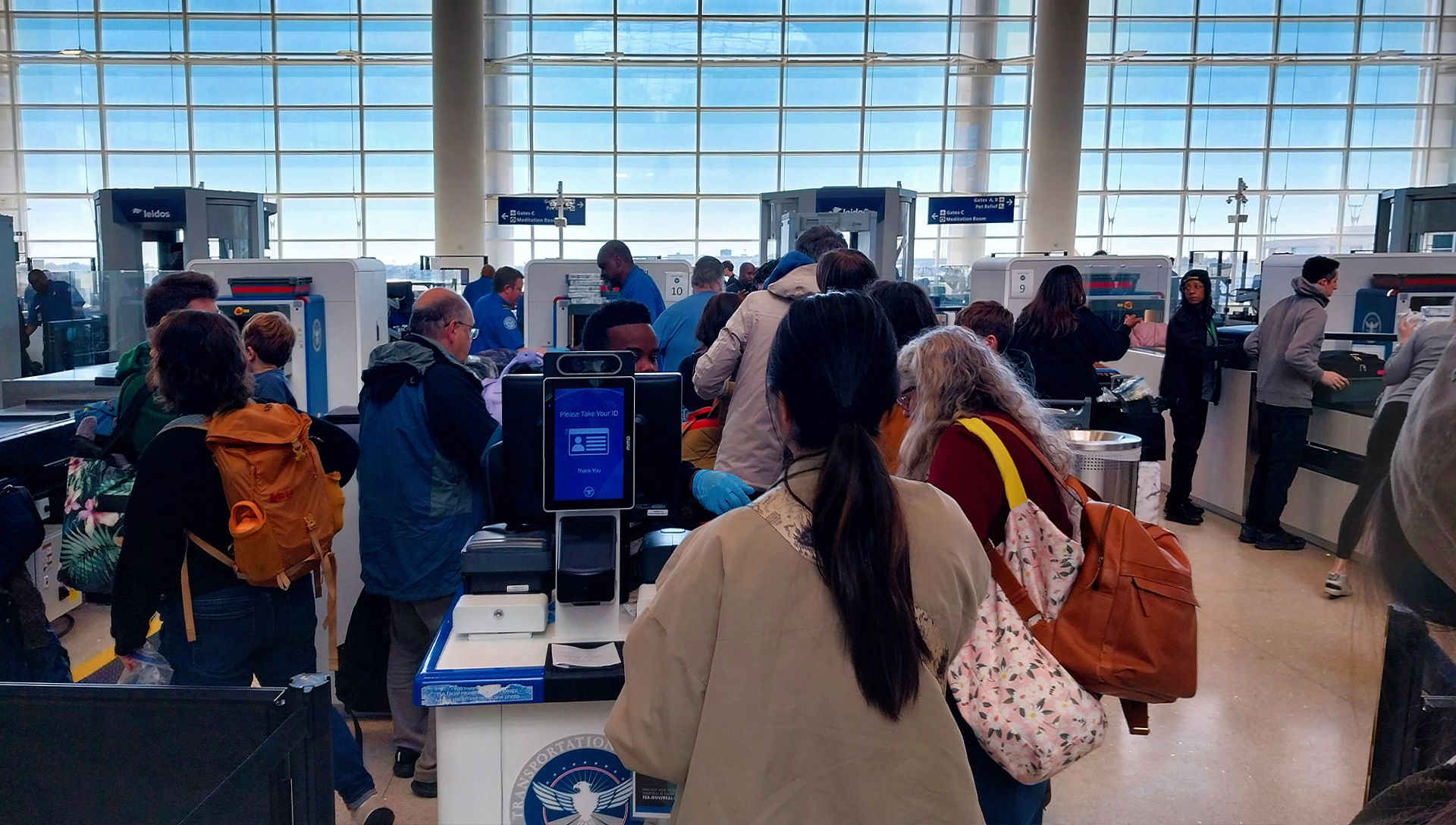
Digital IDs only work at lanes with a second-generation Credential Authentication Technology reader, which TSA calls CAT-2. Travelers tap their phones on the reader or scan a code, and their phones show exactly which fields TSA is requesting before they approve with Face ID or a fingerprint.
The reader then takes a live photo and compares it with the photo inside the credential. That photo is optional. TSA's guidance, as reported by Deep Arrival, is to tell the officer before presenting your ID. You keep your place in line and show a physical card instead.
A user should never hand your phone to the officer. The exchange runs between the phone and the reader, and only the requested fields leave the device.
Travelers should bring the plastic card anyway. TSA says plainly that travelers should always carry an acceptable physical ID, because not every checkpoint has a CAT-2 reader and a dead battery ends the digital option.
State apps clear TSA the same way phone wallets do
Eleven of the 22 jurisdictions have a state-built app on the TSA list, from Louisiana's LA Wallet to New York's NY MiD and the California DMV Wallet. Each is a TSA-approved digital ID app. At the CAT-2 reader, a credential from one of those apps is checked against the same standard as one from Apple Wallet.
That matters for state leaders weighing what to offer. Airport acceptance is often treated as the reason to hand the license to Apple and Google. The table shows a state can get the same acceptance from its own app, and five states rely on nothing else.
In our experience with Arizona, the two kinds of wallets end up with different jobs. Arizona residents fly with the license in Apple, Google or Samsung Wallet. Arizona Wallet, the state app AstreaX built with the Arizona MVD, carries what the phone wallets do not: vehicle registrations, title records and renewal reminders.
Residents use both kinds when they can. In April 2026 California reported 1.7 million active mDLs, about 900,000 of them in the DMV's own wallet, according to the governor's office. A state running both can keep one set of security checks behind every wallet, the approach our white paper calls state-controlled multi-wallet provisioning.
Before you fly
Before heading to the airport, make sure:
- Your state supports digital IDs and your credential is stored in a supported digital wallet or app listed above.
- Your driver’s license or ID is REAL ID-compliant (look for the REAL ID star) or is an Enhanced Driver’s License.
- Your digital ID is set up and activated on your phone before your trip.
- Your departure airport supports digital ID verification at the checkpoint you plan to use. Check TSA’s map for participating locations.
- You still bring your physical ID. TSA recommends carrying your physical credential as a backup.
For the full list of states issuing a mobile driver's license, and every wallet each one supports, see which states have a mobile driver's license. State officials planning a program can see how Arizona pairs a state app with phone wallets.